
Introduction
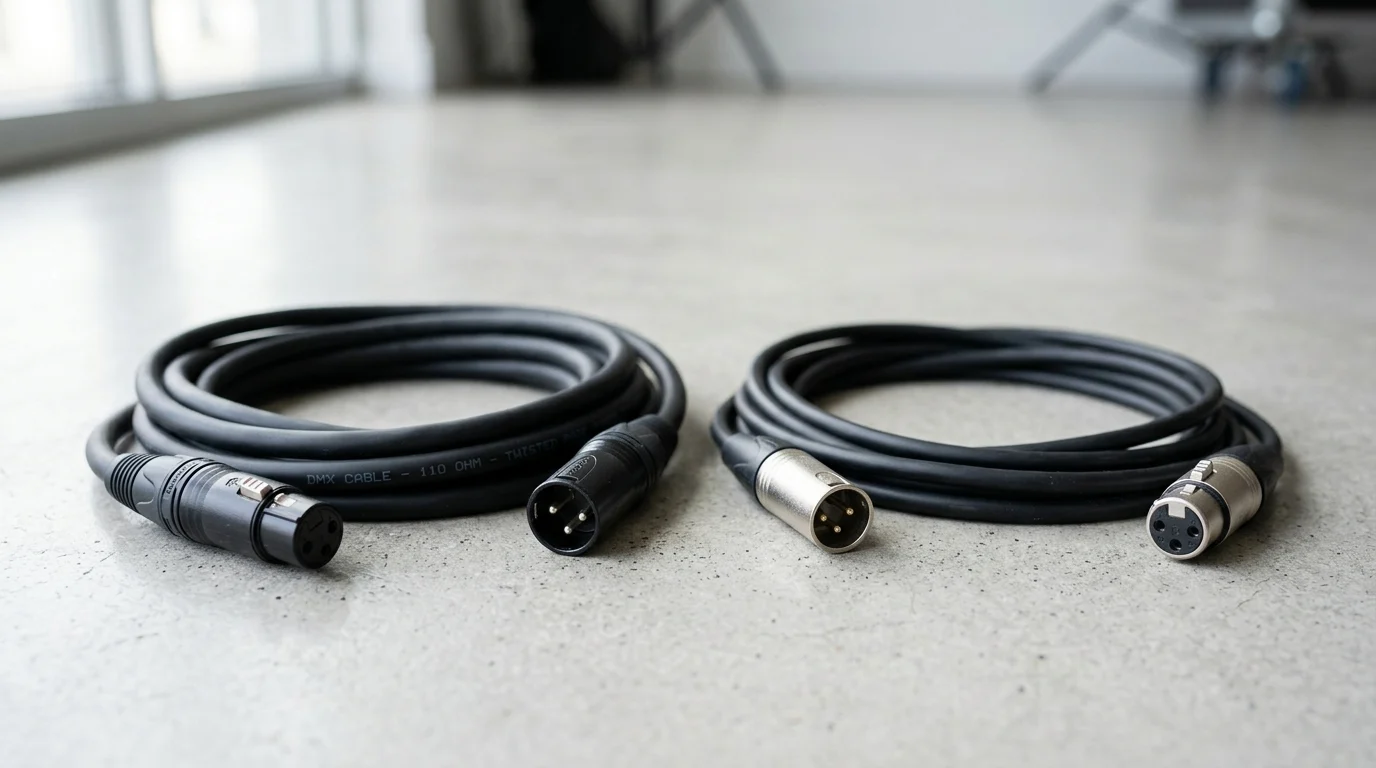
Although DMX and audio cables often use the same XLR connectors, they are not built for the same job. DMX carries high-speed digital control data for lighting and effects, while audio cable is designed for analog or digital sound signals with different electrical requirements. That distinction matters because the wrong cable can introduce reflections, data errors, intermittent fixture behavior, or unreliable show performance. This article explains the key differences in impedance, shielding, construction, and real-world use, so readers can judge when substitution might appear to work, why it often fails, and how to choose the right cable for dependable system performance.
Why DMX Cable vs Audio Cable Matters
In the professional live event and system integration industries, the visual and auditory components of a production are equally critical. The backbone of these systems relies heavily on the physical cabling infrastructure. While the DMX512 standard dictates lighting control and analog or AES3 standards govern audio transmission, the physical similarities between the cables used for these distinct purposes often lead to operational confusion. Understanding the fundamental differences between DMX cable and audio cable is essential for system engineers, lighting designers, and production managers.
The DMX512 protocol operates on an RS-485 serial communication standard, transmitting digital data packets at a baud rate of 250 kbps. This constant stream of square-wave digital data demands specific electrical characteristics to prevent signal degradation. Conversely, standard analog audio cables are designed to carry continuous alternating current (AC) waveforms at much lower frequencies, typically ranging from 20 Hz to 20 kHz. Treating these distinct transmission mediums as functionally identical introduces severe risks to system stability and overall production quality.
Signal reliability and show continuity
Signal reliability forms the core of any successful live production. The DMX512 protocol allows for daisy-chaining up to 32 devices over a maximum cable run of 1,200 meters (approximately 3,900 feet) before requiring an active splitter or repeater. Achieving this theoretical maximum requires a pristine transmission line. Because DMX transmits high-frequency digital data, the signal is highly susceptible to reflections if the cable infrastructure is compromised.
When data packets are corrupted by signal reflection or interference, lighting fixtures and atmospheric effects lose synchronization. This corruption manifests as erratic behavior: moving heads may twitch, LED wash lights may experience random color shifts, and strobe fixtures may fire out of sequence. In high-stakes environments such as broadcast studios, theatrical performances, or large-scale touring concerts, a single compromised data link can cause a cascading disruption across an entire universe of lighting control (up to 512 channels), directly jeopardizing show continuity.
Common substitution scenarios
Despite the operational risks, substituting audio cables for DMX cables remains a persistent phenomenon in live production environments. Industry surveys suggest that improper cable substitution accounts for up to 30% to 40% of intermittent DMX signal failures in temporary setups. This substitution typically occurs under duress, such as during rapid 15-minute stage changeovers, when addressing last-minute equipment additions, or when a production crew exhausts its inventory of dedicated DMX cabling. Because both cable types frequently utilize identical physical connectors, stagehands and junior technicians may inadvertently grab an audio cable to bridge a gap in a lighting rig.
Another common scenario involves permanent installations in older venues where legacy analog audio tie-lines (often running 50 to 150 meters through facility walls) are repurposed to route DMX signals from the front-of-house control booth to the stage. While this might appear to be an efficient utilization of existing infrastructure, it forces a high-frequency digital signal through wiring designed for low-frequency analog signals. The success of these substitutions is highly variable and heavily dependent on the total cable length and the specific tolerances of the connected lighting fixtures.
Technical Differences Between DMX and Audio Cable
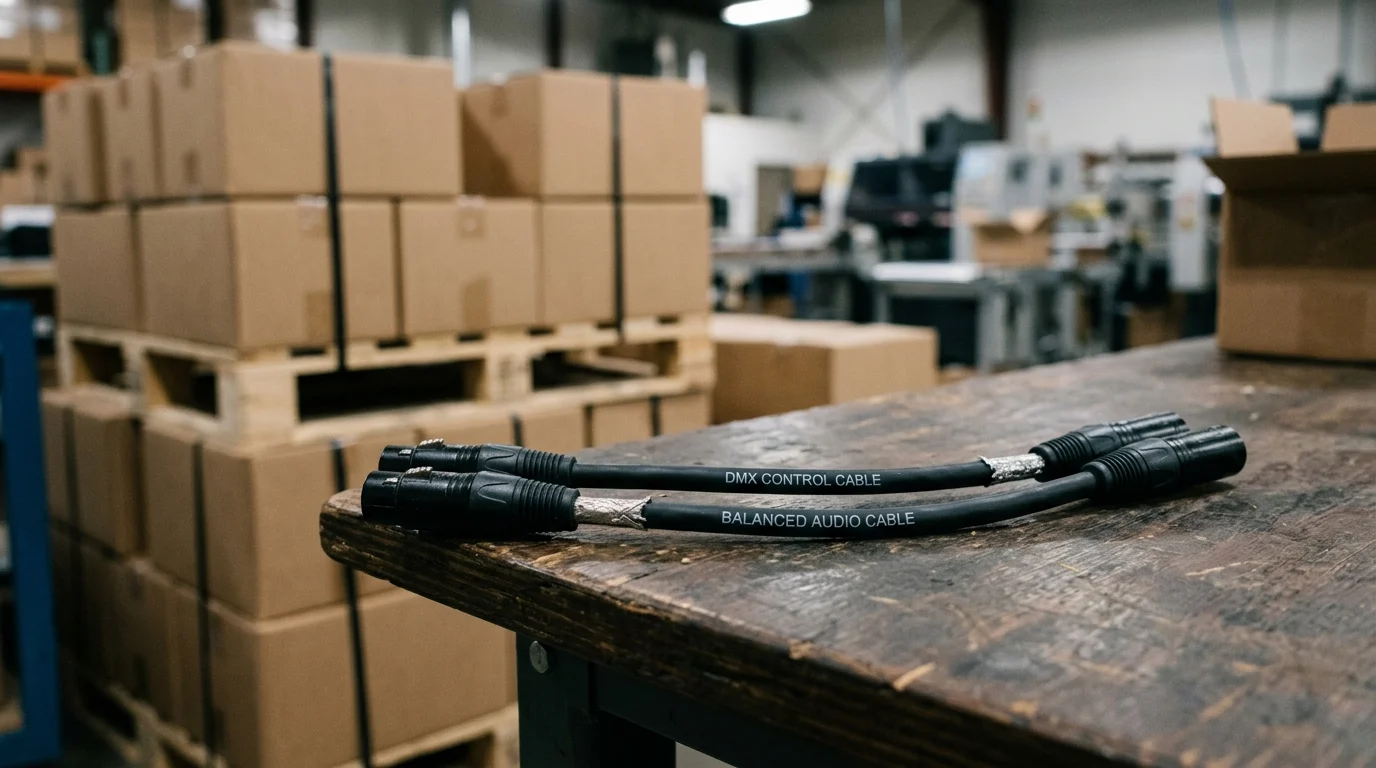
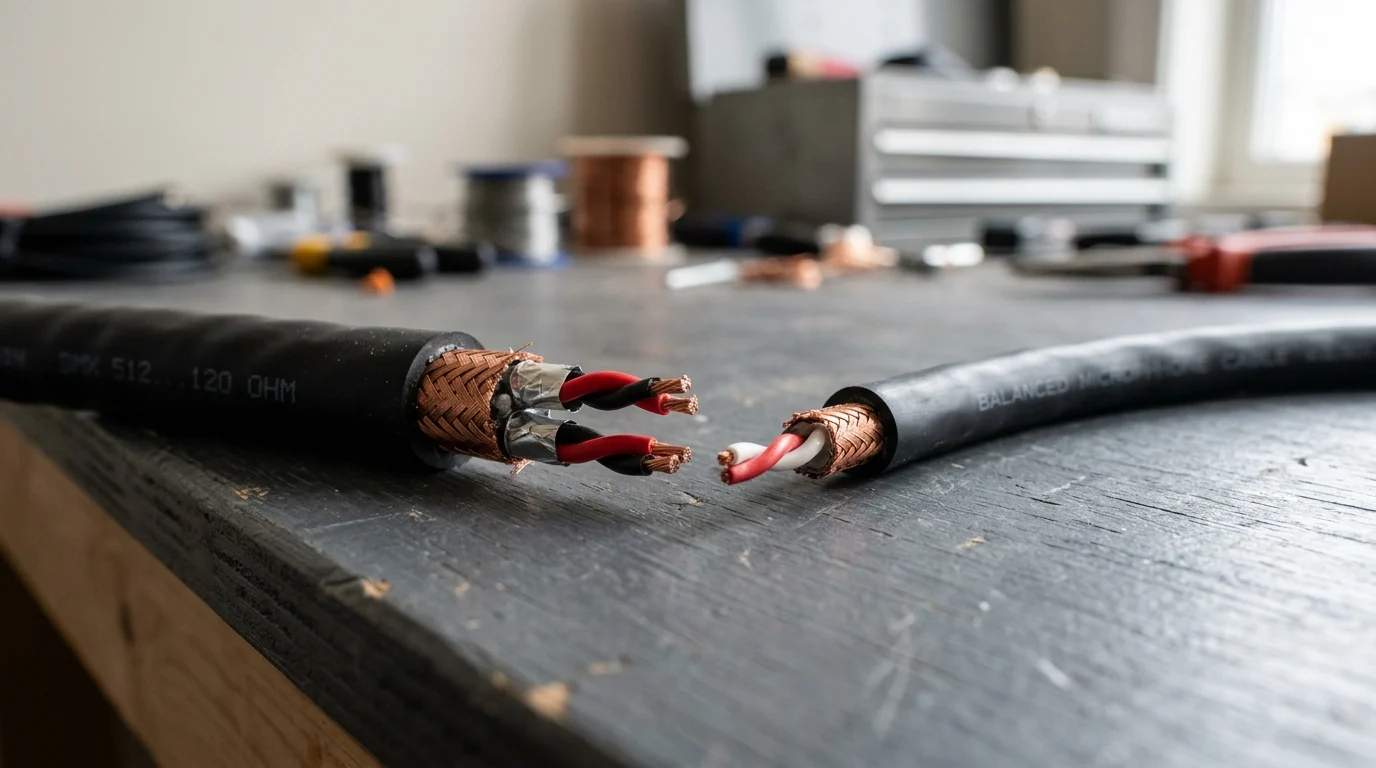
The visual similarities between DMX and audio cables mask profound differences in their internal engineering. The distinction lies not in the copper conductors themselves, but in the precise geometric arrangement of the internal components and the resulting electrical properties. These physical specifications dictate how efficiently a cable can propagate a high-frequency digital square wave versus a low-frequency analog sine wave.
Impedance, capacitance, shielding, and conductor design
The most critical distinction between the two cables is characteristic impedance. DMX cables are engineered to maintain a strict impedance of 110 to 120 ohms. This specification matches the impedance of the transmitting and receiving circuitry in DMX-compliant hardware, ensuring maximum power transfer and minimizing signal reflection. Standard microphone cables, however, exhibit a characteristic impedance ranging from 45 to 75 ohms. When a 250 kbps digital signal encounters this impedance mismatch, a portion of the signal reflects back down the line, colliding with subsequent data packets and causing severe destructive interference.
Capacitance also plays a vital role. DMX cables require low capacitance, typically measuring under 40 picofarads per meter (pF/m). High capacitance acts as a low-pass filter, which rounds off the sharp leading and trailing edges of the digital square waves, eventually rendering the data illegible to the receiving fixture's microcontroller. Standard audio cables often have higher capacitance (ranging from 70 up to 130 pF/m), which is perfectly acceptable for 20 kHz analog audio but detrimental to digital data.
Furthermore, shielding requirements differ significantly. DMX cables typically employ a dual-shield design—combining a tinned copper braid with an aluminum/mylar foil layer—to provide 100% coverage against high-frequency electromagnetic interference (EMI) and radio frequency interference (RFI). Standard audio cables frequently rely on a single spiral (served) copper shield, which offers excellent flexibility for stage use (typically 70% to 95% coverage) but leaves microscopic gaps that can allow high-frequency interference to corrupt a digital data stream.
Why XLR connectors cause confusion
The primary catalyst for the confusion between these two cable types is the XLR connector. The official United States Institute for Theatre Technology (USITT) DMX512-A standard strictly mandates the use of 5-pin XLR connectors for data transmission. This standard was intentionally designed to physically prevent technicians from accidentally plugging a lighting console into an audio mixing desk or a 48V phantom-powered microphone input.
However, economic pressures and market demands have heavily diluted this standard. To reduce manufacturing costs by roughly $0.50 to $2.00 per unit and minimize chassis footprint, an estimated 70% to 85% of lighting manufacturers—particularly in the prosumer and DJ equipment sectors—equip their fixtures with 3-pin XLR connectors. Because standard microphone cables universally utilize 3-pin XLR connectors, the physical barrier preventing improper cross-patching is entirely removed. This industry-wide deviation forces technicians to rely exclusively on visual cable markings or administrative color-coding rather than mechanical incompatibility.
Side-by-side comparison table
To quantify the engineering distinctions, the following table outlines the standard operational specifications distinguishing dedicated DMX cabling from standard analog audio cabling.
| Specification / Feature | DMX512 Cable | Analog Audio (Microphone) Cable |
|---|---|---|
| Characteristic Impedance | 110 – 120 ohms | 45 – 75 ohms |
| Nominal Capacitance | < 40 pF/m | 70 – 130 pF/m |
| Signal Type | Digital (RS-485 Square Wave) | Analog (Continuous AC Sine Wave) |
| Shielding Design | Dual (Foil + Braided Copper) | Single (Spiral/Served or Braided) |
| Official Connector Standard | 5-Pin XLR (USITT Standard) | 3-Pin XLR |
| Typical Conductor Gauge | 22 – 24 AWG | 20 – 24 AWG |
Can DMX and Audio Cables Be Used Interchangeably
The question of interchangeability is heavily debated in the field, often driven by anecdotal evidence of successful substitutions. While the laws of physics heavily discourage using audio cable for digital data transmission, the reality of live production reveals that interchangeability is not a binary concept, but rather a spectrum of risk. Understanding the thresholds of this risk dictates whether a substitution is an acceptable emergency stopgap or a guaranteed point of failure.
When audio cable may seem to work for DMX
Under highly constrained circumstances, a standard microphone cable can successfully transmit a DMX signal. This "success" is generally limited to short cable runs—typically under 10 meters (approximately 30 feet)—connecting a very small number of fixtures, such as three or fewer. In these minimal configurations, the signal reflections caused by the impedance mismatch do not have sufficient distance to compound into severe data corruption.
Additionally, modern DMX receiver chips possess a certain degree of error tolerance. If the signal voltage remains above the logic threshold, the receiving fixture may successfully decode the data packet even if the square wave is heavily distorted by the high capacitance of the audio cable. However, this functionality operates entirely on the precipice of failure; the system possesses zero headroom for additional interference, voltage drops, or environmental thermal shifts.
Problems caused by using microphone cable for DMX
When the threshold of tolerance is exceeded, utilizing audio cable for DMX transmission introduces a cascade of critical failures. The RS-485 standard relies on a differential voltage threshold of just ±200 millivolts. The primary mechanism of failure is signal reflection, commonly referred to as "ghosting." Because the 45-ohm audio cable cannot efficiently transfer energy to the 120-ohm terminator at the end of the DMX line, the remaining energy bounces back toward the console. As these reflected waves collide with newly transmitted data packets, the resulting jitter causes the receiving microcontrollers to drop frames (DMX transmits up to 44 packets per second).
In practical terms, dropped DMX frames result in loss of fixture control. Moving lights may suddenly return to their home positions, LED pars may flicker or strobe uncontrollably, and dimmer packs may interpret corrupted data as a command to snap to 100% intensity. These issues are notoriously difficult to troubleshoot because they often occur intermittently; a rig wired with audio cable might function perfectly during a soundcheck, only to fail catastrophically during the performance when the data density increases due to complex lighting cues.
Whether DMX cable can carry audio
Conversely, the physical and electrical properties of DMX cable make it exceptionally well-suited for carrying audio signals. Because DMX cables are manufactured to strict 110-ohm impedance standards with heavy shielding and low capacitance, they provide an incredibly pristine path for analog audio. The low capacitance ensures minimal high-frequency roll-off, preserving the "air" and transient detail in microphone signals.
Furthermore, DMX cabling is perfectly compliant with the AES3 (AES/EBU) standard for digital audio transmission, which explicitly requires a 110-ohm transmission line. Therefore, a production company can technically standardize its entire inventory on 3-pin DMX cable to route both lighting data and audio signals. The primary deterrent to this strategy is financial; high-quality DMX cable typically carries a 20% to 30% cost premium over equivalent analog microphone cable, making bulk deployment for purely analog audio pathways economically inefficient.
How to Choose the Right Cable
Procuring the correct cabling infrastructure requires balancing technical specifications with operational logistics and budget constraints. For production companies, system integrators, and touring crews, establishing strict procurement guidelines and inventory management protocols is the only reliable method to prevent the cross-contamination of DMX and audio pathways. Selecting the right cable involves rigorous verification, cost-benefit analysis, and clear application mapping.
Testing and verification steps
Because 3-pin DMX and 3-pin audio cables look identical to the naked eye, verification requires specific testing procedures. While a standard digital multimeter (DMM) costing $20 to $50 can verify pin continuity, it is insufficient for data cables as it cannot measure characteristic impedance or capacitance at high frequencies. To accurately verify a cable's specification, technicians must utilize a Time Domain Reflectometer (TDR) or an advanced impedance bridge, which typically represent a $500 to $2,500 capital investment.
A more practical, non-destructive verification method involves inspecting the cable's jacket print. Reputable manufacturers explicitly print the characteristic impedance (e.g., "110Ω" or "120Ω") and the protocol standard (e.g., "DMX512" or "AES/EBU") directly onto the outer jacket at regular 1-meter or 2-foot intervals. Furthermore, verifying the presence of a proper DMX terminator is crucial. A terminator consists of a 120-ohm, 0.25-watt resistor soldered between pins 2 and 3 of the final XLR connector in the chain, which absorbs the digital signal and prevents the reflections that plague mismatched cable runs.
Durability, cost, and inventory considerations
Durability and cost are significant factors when outfitting a production inventory. Standard microphone cable typically costs between $0.80 and $1.50 per meter, utilizing highly flexible PVC jackets designed to lay flat on a stage and withstand constant coiling. Dedicated DMX cable, requiring dual shielding and precise dielectric extrusion to maintain its 110-ohm rating, generally commands between $1.50 and $3.00 per meter. For a standard 100-cable touring inventory, this represents a modest $1,500 to $2,000 total premium—a negligible insurance cost against show-stopping failures.
To manage
Key Takeaways
- The most important conclusions and rationale for DMX Cable vs Audio Cable
- Specs, compliance, and risk checks worth validating before you commit
- Practical next steps and caveats readers can apply immediately
Frequently Asked Questions
Can you use an audio XLR cable for DMX lighting?
Only for a very short emergency run. Audio cable impedance is usually 45–75Ω, not the 110–120Ω DMX needs, so longer runs can cause flicker, random moves, or dropouts.
Why do DMX and audio cables look the same?
Both often use 3-pin or 5-pin XLR connectors, but the cable inside is different. DMX cable is built for RS-485 digital data, while audio cable is designed for analog sound signals.
What happens if I use microphone cable for a long DMX run?
You may get intermittent control errors, especially over longer distances or with many fixtures. Common symptoms are twitching movers, wrong colors, or unstable dimming.
How can I identify a proper DMX cable before a show?
Check the jacket or spec sheet for 110Ω or 120Ω impedance and DMX/AES-EBU labeling. If buying from a supplier like JINGYI, confirm the cable is specified for lighting control, not just microphone use.
Can JINGYI provide custom DMX cable solutions for installations or OEM projects?
Yes. JINGYI offers premade DMX cables plus OEM/ODM custom production, private labeling, and pro-audio connectivity support for venues, festivals, studios, and system integrators.


